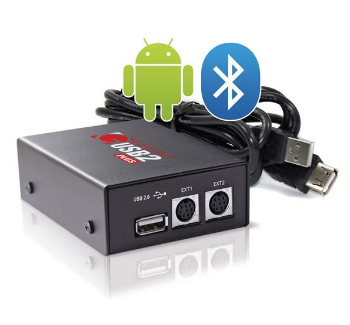
"Brought the Grom USB / Ipod and Bluetooth for my 2001 X5 BMW. I have the DSP non Nav radio so to upgrade the system is pretty hard. Had the 6 CD changer in the rear, and sometime it will need to be reset in order for it to work, in other word I had to eject the cartridge and then reinsert the cartridge. My X is too old for the later Bluetooth and the car phone that was available when the X was brand new was analog.
Because I had DSP I had to buy the DSP adapter so that I could have a 6-pins connector for the GROM harness. The install of the DSP adapter was fairly easy. Instead of tapping into the car harness for the DSP adapter power, I tapped into the Grom 3 pins connector that connects to the BMW harness. The center wire in the Grom 3-pins adapter is the power wire and I used a ring for the negative connection to the car body. Connected the harness to the Grom adapter, connected the 3-pins Grom connector to the BMW 3-pins connector, connected the 6-pins Grom connector to the 6-pins connector at the DSP adapter and connected the coaxial cable from the DSP adapter to the BMW Amp.
I'm using a 16GB flash drive that is about the size of a nickle to store my music. I made 6 folders and number them 1-6. Gave the wife 1 folder and the kids 1 folder and I kept the other four folders. The 6 folders matches the 6 cd button on the radio.
Supposedly with a 16GB flash drive I can load close to 3000 MP3 song files. Went to the computer and started dragging my songs into the folders. Ejected my flash drive and inserted in the Grom and started the BMW to listen to the music. The music is as good as any CD that I ripped. The steering wheel button changed tracks and controlled the volume. No more burning CDs. Kool
Next I connected the Bluetooth dongle and paired my cellphone. Called my brother and asked him to call me back. While listen to the Grom, the music was muted as my call came through the car audio system. Kool Next weekend will be to route the microphone cable from the overhead console back to the Grom.
Finally connected the Ipod cable and,my Ipod to the Grom. Selected Ipod and the next thing I knew the Grom was playing music from my Ipod. I could use the click wheel to select songs or start a playlist and use the radio control or steering wheel control to go back and forth on the playlist. The Ipod cable also charged my Ipod. Kool again.
So if you want something better than the CD changer and you want Bluetooth capability in your X install a Grom, you won't be disappointed."
To submit us your feedback, please use GROM Feedback form.
Cheers!